Elements
The building blocks of the brand for the website, live, with their markup. They say what an element is and how it behaves, not where it goes: layout, navigation and page structure are decided in the build. All of it comes from assets/css/brand.css: one file, no build step. Resize the window: the components are fluid, the book sheets are not.
TOKENS
Custom properties on :root, prefixed --ea-. There is no black: text is slate. Red is a mark colour and a ground, never small text. The website stands on page; grey is for single sections, not for the whole page.
LOGO
Use the SVG files; the letters are outlined, no font needed. Dark version on light grounds, light version on dark ones. Minimum 12 px cap height. Never retype the logo in live text.

<img src="assets/logo/logo-horizontal-transparent-dark.svg" alt="EU AI Talk" height="44">THE COLON
Two squares at cap height, drawn with CSS so it scales with the type. Never a typed colon. Add the hidden ":" where a screen reader should pause.
EU AI:Talk
<p class="ea-label" style="font-size:3rem;margin:0">EU AI<i class="ea-colon" aria-hidden="true"></i><span class="ea-sr">:</span><b>Talk</b></p>SPEAKER LABEL AND TRANSCRIPT
A word in capitals, the colon, then what is said in weight 500. Stacked, labels become a transcript: the head of every episode page.
- EP:12
- GUEST:Name, Company
- FROM:Porto
- TOPIC:Local AI
<ul class="ea-transcript">
  <li class="ea-label">EP<i class="ea-colon" aria-hidden="true"></i><span class="ea-sr">:</span><b>12</b></li>
  <li class="ea-label">GUEST<i class="ea-colon" aria-hidden="true"></i><span class="ea-sr">:</span><b>Name, Company</b></li>
  <li class="ea-label">FROM<i class="ea-colon" aria-hidden="true"></i><span class="ea-sr">:</span><b>Porto</b></li>
  <li class="ea-label">TOPIC<i class="ea-colon" aria-hidden="true"></i><span class="ea-sr">:</span><b>Local AI</b></li>
</ul>
THE OPEN LINE
A label in 900, the colon, then a rule. The text is set in 500 at about two thirds of the label size and stands just above the rule. The rule starts after the colon and runs to the right edge of its container.
EU AI:Good enough and local
Talk
<p class="ea-line"><span class="ea-label">EU AI<i class="ea-colon" aria-hidden="true"></i><span class="ea-sr">:</span></span><span class="ea-line__text">Good enough and local</span></p>
<p class="ea-line__sub">Talk</p>
OPEN LINE ON THE THREE GROUNDS
Add ea-on-slate, ea-on-grey or ea-on-red to a container. The colon turns white on red by itself.
EU AILocal beats big
EU AIGuest Name
EU AINew episode Thursday
<div class="ea-on-slate" style="padding:2rem">
  <p class="ea-line"><span class="ea-label">EU AI<i class="ea-colon" aria-hidden="true"></i></span><span class="ea-line__text">Local beats big</span></p>
</div>
<div class="ea-on-grey" style="padding:2rem">
  <p class="ea-line"><span class="ea-label">EU AI<i class="ea-colon" aria-hidden="true"></i></span><span class="ea-line__text">Guest Name</span></p>
</div>
<div class="ea-on-red" style="padding:2rem">
  <p class="ea-line"><span class="ea-label">EU AI<i class="ea-colon" aria-hidden="true"></i></span><span class="ea-line__text">New episode Thursday</span></p>
</div>
SECTION HEADING AND FORM FIELD
A heading is a small open line without text. A form field is the open line waiting for an answer.
EPISODES
<h2 class="ea-heading"><span class="ea-label">EPISODES<i class="ea-colon" aria-hidden="true"></i></span></h2>
<label class="ea-field"><span class="ea-label">EMAIL<i class="ea-colon" aria-hidden="true"></i><span class="ea-sr">:</span></span><input type="email" placeholder="you@company.eu"></label>
HEADLINE
Three lines, capitals, the last line changes colour. For covers and thumbnails, not for article headlines: those are sentence case in 900.
Goodenoughwins
<div class="ea-on-grey" style="padding:2rem">
  <p class="ea-shout"><span>Good</span><span>enough</span><span>wins</span></p>
</div>
BUTTONS
Slate first, outline second. Red once per page, for the one action that matters.
<a class="ea-btn" href="#">Listen</a>
<a class="ea-btn ea-btn--outline" href="#">All episodes</a>
<a class="ea-btn ea-btn--red" href="#">Subscribe</a>
LINKS
The text stays slate; the underline is as heavy as the rule of the open line and turns red on hover. Red is never the colour of the link text.
A link in running text is slate and underlined.
<p class="ea-body">A <a class="ea-link" href="#">link in running text</a> is slate and underlined.</p>LISTS
Square bullets in slate. One item may carry a red square: the point of the list.
- It runs on hardware you own.
- It answers in your language.
- It keeps the data in the building.
<ul class="ea-list ea-body">
  <li>It runs on hardware you own.</li>
  <li>It answers in your language.</li>
  <li class="is-point">It keeps the data in the building.</li>
</ul>
PICTURE ON THE WEBSITE
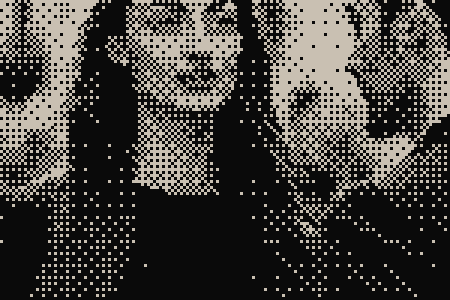
Pixel pictures are the pattern of the show. A pixel picture is dots in two colours: the ink and one tint. On social the tint is always red; on the website it varies across red, grey, white, sand and petrol. Move the pointer over a picture, or reach it with the keyboard: the dots melt into a smooth picture of the same two colours. The website draws this live in its own component; the pictures here are prepared with the same formula. Covers and thumbnails use the same dots; social posts are sometimes pixels and sometimes the photograph. Video keeps its own colours.









TITLE LABEL
The third way type goes onto a picture, for covers and headers only. A slate box on the grid of the big squares, the open line in white inside it, one per cover. The cover is a file: the label is part of the picture, not markup. Rule and files in chapter 08, "Covers: the picture resolves".

IDENT AND LOWER THIRD
Two of the three ways type goes onto a picture. For video, thumbnails and posts; not for pictures on the website. The ident is small, white only and without a ground, like the mark of a television channel. In the lower third the company stands under the name. The third way is the title label of a cover, below.


<div class="ea-frame">
  <img src="guest.jpg" alt="…">
  <img class="ea-ident" src="logo-horizontal-white.svg" alt="EU AI Talk">
  <div class="ea-lower ea-lower--stack">
    <span class="ea-lower__row">
      <span class="ea-lower__a">EU AI</span>
      <span class="ea-lower__b"><i class="ea-colon ea-colon--slate"></i>Guest Name</span>
    </span>
    <span class="ea-lower__c">Company</span>
  </div>
</div>
PLAYER
The player of the brand: a slate bar. While it plays, the colon lies on its side: two red squares next to each other, the pause button. Paused, the colon stands upright and means play. The rule is the progress: white for what is played, no knob. Time in 500, tabular figures. Click the squares. The website as built uses word buttons instead; which of the two stays is open.
<div class="ea-player">
  <button class="ea-player__btn" aria-label="Pause" onclick="var p=this.parentNode.classList.toggle('is-paused');this.setAttribute('aria-label',p?'Play':'Pause')"></button>
  <div class="ea-player__bar" style="--v:34%"><i></i></div>
  <span class="ea-player__time">12:40</span>
</div>
<br>
<div class="ea-player is-paused">
  <button class="ea-player__btn" aria-label="Play" onclick="var p=this.parentNode.classList.toggle('is-paused');this.setAttribute('aria-label',p?'Play':'Pause')"></button>
  <div class="ea-player__bar" style="--v:0%"><i></i></div>
  <span class="ea-player__time">00:00</span>
</div>
CONTENT ELEMENTS, FIXED
From here on: elements that appear inside episodes and articles. They belong to the content, not to the web design. Build them exactly as shown.
DIALOGUE
Red colon for the show, slate for the guest; on a slate ground the guest gets white. Two or three exchanges at most.
EU AI:Why not the biggest model?
GUEST:We did not need it.
<blockquote class="ea-dialogue">
  <p><span class="ea-label">EU AI<i class="ea-colon" aria-hidden="true"></i><span class="ea-sr">:</span></span><span class="ea-said">Why not the biggest model?</span></p>
  <p class="ea-guest"><span class="ea-label">GUEST<i class="ea-colon" aria-hidden="true"></i><span class="ea-sr">:</span></span><span class="ea-said">We did not need it.</span></p>
</blockquote>
NUMBER
One figure, one sentence. Red is allowed at this size.
3×cheaper than the model it replaced.
<p class="ea-number"><b>3×</b><span>cheaper than the model it replaced.</span></p>TABLE
Heads are labels. Hairlines between rows, no stripes, no vertical rules. One highlighted row at most. The wrapper scrolls sideways on a phone.
| Model | Size | Runs on | Cost |
|---|---|---|---|
| Frontier, rented | — | their cloud | 92 |
| Mid-size, rented | 70B | EU cloud | 58 |
| Small, own server | 7B | one server | 24 |
<div class="ea-table-wrap"><table class="ea-table">
  <thead><tr><th>Model</th><th>Size</th><th>Runs on</th><th class="ea-num">Cost</th></tr></thead>
  <tbody>
    <tr><td>Frontier, rented</td><td>—</td><td>their cloud</td><td class="ea-num">92</td></tr>
    <tr><td>Mid-size, rented</td><td>70B</td><td>EU cloud</td><td class="ea-num">58</td></tr>
    <tr class="is-point"><td>Small, own server</td><td>7B</td><td>one server</td><td class="ea-num">24</td></tr>
  </tbody>
</table></div>
BAR CHART
Grey is data, red is the point. The title is an open line, the chart ends with SOURCE:. Values are written on the marks, so there is no axis. Set each bar with --v.
COST:per 1,000 requests, index
<figure class="ea-figure">
  <p class="ea-figure__title"><span class="ea-label">COST<i class="ea-colon" aria-hidden="true"></i><span class="ea-sr">:</span></span><span>per 1,000 requests, index</span></p>
  <div class="ea-bars">
    <div class="ea-bars__row"><span>Frontier model, rented</span><i style="--v:92"></i><b>92</b></div>
    <div class="ea-bars__row"><span>Rules, no model</span><i style="--v:71"></i><b>71</b></div>
    <div class="ea-bars__row"><span>Mid-size model, rented</span><i style="--v:58"></i><b>58</b></div>
    <div class="ea-bars__row is-point"><span>Small model, own server</span><i style="--v:24"></i><b>24</b></div>
  </div>
  <figcaption class="ea-label">SOURCE<i class="ea-colon" aria-hidden="true"></i><span class="ea-sr">:</span><b>Invented figures</b></figcaption>
</figure>
SHARE OF ONE HUNDRED
The series grid as a chart: one hundred squares, the first n switched on.
<div class="ea-hundred" role="img" aria-label="80 of 100"><i class="is-on"></i><i class="is-on"></i><i class="is-on"></i><i class="is-on"></i><i class="is-on"></i><i class="is-on"></i><i class="is-on"></i><i class="is-on"></i><i class="is-on"></i><i class="is-on"></i><i class="is-on"></i><i class="is-on"></i><i class="is-on"></i><i class="is-on"></i><i class="is-on"></i><i class="is-on"></i><i class="is-on"></i><i class="is-on"></i><i class="is-on"></i><i class="is-on"></i><i class="is-on"></i><i class="is-on"></i><i class="is-on"></i><i class="is-on"></i><i class="is-on"></i><i class="is-on"></i><i class="is-on"></i><i class="is-on"></i><i class="is-on"></i><i class="is-on"></i><i class="is-on"></i><i class="is-on"></i><i class="is-on"></i><i class="is-on"></i><i class="is-on"></i><i class="is-on"></i><i class="is-on"></i><i class="is-on"></i><i class="is-on"></i><i class="is-on"></i><i class="is-on"></i><i class="is-on"></i><i class="is-on"></i><i class="is-on"></i><i class="is-on"></i><i class="is-on"></i><i class="is-on"></i><i class="is-on"></i><i class="is-on"></i><i class="is-on"></i><i class="is-on"></i><i class="is-on"></i><i class="is-on"></i><i class="is-on"></i><i class="is-on"></i><i class="is-on"></i><i class="is-on"></i><i class="is-on"></i><i class="is-on"></i><i class="is-on"></i><i class="is-on"></i><i class="is-on"></i><i class="is-on"></i><i class="is-on"></i><i class="is-on"></i><i class="is-on"></i><i class="is-on"></i><i class="is-on"></i><i class="is-on"></i><i class="is-on"></i><i class="is-on"></i><i class="is-on"></i><i class="is-on"></i><i class="is-on"></i><i class="is-on"></i><i class="is-on"></i><i class="is-on"></i><i class="is-on"></i><i class="is-on"></i><i class="is-on"></i><i></i><i></i><i></i><i></i><i></i><i></i><i></i><i></i><i></i><i></i><i></i><i></i><i></i><i></i><i></i><i></i><i></i><i></i><i></i><i></i></div>MAP OF TWENTY-SEVEN SQUARES
Seven columns, eight rows, fixed positions (assets/data/tile-map.json). data-n sets the grey step for counts 1, 2 and 3 or more; is-now is the country of this episode.
<div class="ea-tiles" role="img" aria-label="Guests by member state"><i style="grid-area:1/6" data-n="1">FI</i><i style="grid-area:2/5">SE</i><i style="grid-area:2/6" data-n="2">EE</i><i style="grid-area:3/4">DK</i><i style="grid-area:3/6">LV</i><i style="grid-area:4/1" data-n="1">IE</i><i style="grid-area:4/3" data-n="2">NL</i><i style="grid-area:4/4" data-n="3">DE</i><i style="grid-area:4/5" data-n="1">PL</i><i style="grid-area:4/6">LT</i><i style="grid-area:5/2">BE</i><i style="grid-area:5/3">LU</i><i style="grid-area:5/4" data-n="1">CZ</i><i style="grid-area:5/5">SK</i><i style="grid-area:6/2" data-n="2">FR</i><i style="grid-area:6/4" data-n="1">AT</i><i style="grid-area:6/5">HU</i><i style="grid-area:6/6">RO</i><i style="grid-area:7/1" class="is-now">PT</i><i style="grid-area:7/2" data-n="1">ES</i><i style="grid-area:7/3" data-n="1">IT</i><i style="grid-area:7/4" data-n="1">SI</i><i style="grid-area:7/5">HR</i><i style="grid-area:7/6">BG</i><i style="grid-area:8/3">MT</i><i style="grid-area:8/6">GR</i><i style="grid-area:8/7">CY</i></div>SERIES GRID
Squares, gap one sixth of a square. The red pair is always vertical: it is still a colon.
<div class="ea-on-slate" style="padding:2rem">
  <div class="ea-grid" style="--cols:6;max-width:20rem"><i></i><i></i><i></i><i></i><i class="is-now"></i><i></i><i></i><i></i><i></i><i></i><i class="is-now"></i><i></i><i></i><i></i><i></i><i></i><i></i><i></i></div>
</div>
STEPS
An explainer: numbered labels on an open line. The red square is the step the episode is about. No arrows, no icons.
- 01:
Someone asks
A clerk types a question into the tool she already uses.
- 02:
Documents are searched
The system finds the three passages that matter.
- 03:
The model answers
A small model on the company's own server writes the reply.
- 04:
A person checks
The clerk reads it, corrects it, sends it.
<ol class="ea-steps">
  <li><span class="ea-label">01<i class="ea-colon" aria-hidden="true"></i><span class="ea-sr">:</span></span><h3>Someone asks</h3><p>A clerk types a question into the tool she already uses.</p></li>
  <li><span class="ea-label">02<i class="ea-colon" aria-hidden="true"></i><span class="ea-sr">:</span></span><h3>Documents are searched</h3><p>The system finds the three passages that matter.</p></li>
  <li class="is-point"><span class="ea-label">03<i class="ea-colon" aria-hidden="true"></i><span class="ea-sr">:</span></span><h3>The model answers</h3><p>A small model on the company's own server writes the reply.</p></li>
  <li><span class="ea-label">04<i class="ea-colon" aria-hidden="true"></i><span class="ea-sr">:</span></span><h3>A person checks</h3><p>The clerk reads it, corrects it, sends it.</p></li>
</ol>
GLOSSARY
A term is a label; its definition is what is said after the colon.
- INFERENCE:
- Running a trained model to get an answer.
- QUANTISATION:
- Storing a model's numbers less precisely, so it fits on smaller hardware.
- ON-PREMISE:
- Running on hardware in your own building.
<dl class="ea-glossary">
  <div><dt class="ea-label">INFERENCE<i class="ea-colon" aria-hidden="true"></i><span class="ea-sr">:</span></dt><dd>Running a trained model to get an answer.</dd></div>
  <div><dt class="ea-label">QUANTISATION<i class="ea-colon" aria-hidden="true"></i><span class="ea-sr">:</span></dt><dd>Storing a model's numbers less precisely, so it fits on smaller hardware.</dd></div>
  <div><dt class="ea-label">ON-PREMISE<i class="ea-colon" aria-hidden="true"></i><span class="ea-sr">:</span></dt><dd>Running on hardware in your own building.</dd></div>
</dl>